
Use icTrainer with your training plan
You can use your workouts directly from your calendar with icTrainer – in two ways:
Option A: Automatic synchronization via Intervals.icu
With this method, you can automatically sync your DunMove workouts with icTrainer. The framework corresponds to the Zwift guide and can later be supplemented with the final icTrainer steps.
-
Connect your DunMove plan with Intervals.icu.
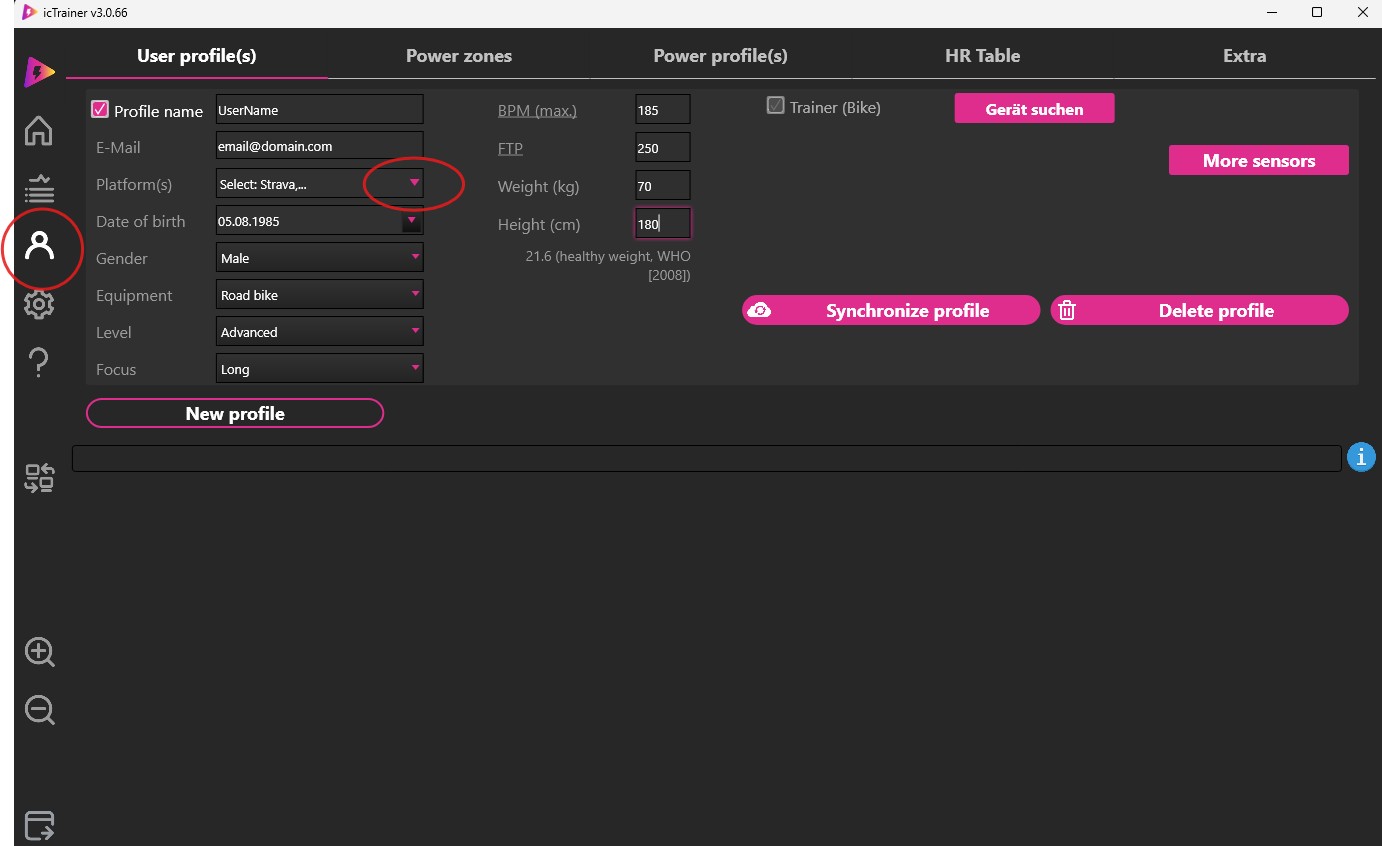
Short description for screenshot 1
-
Then connect Intervals.icu with icTrainer.
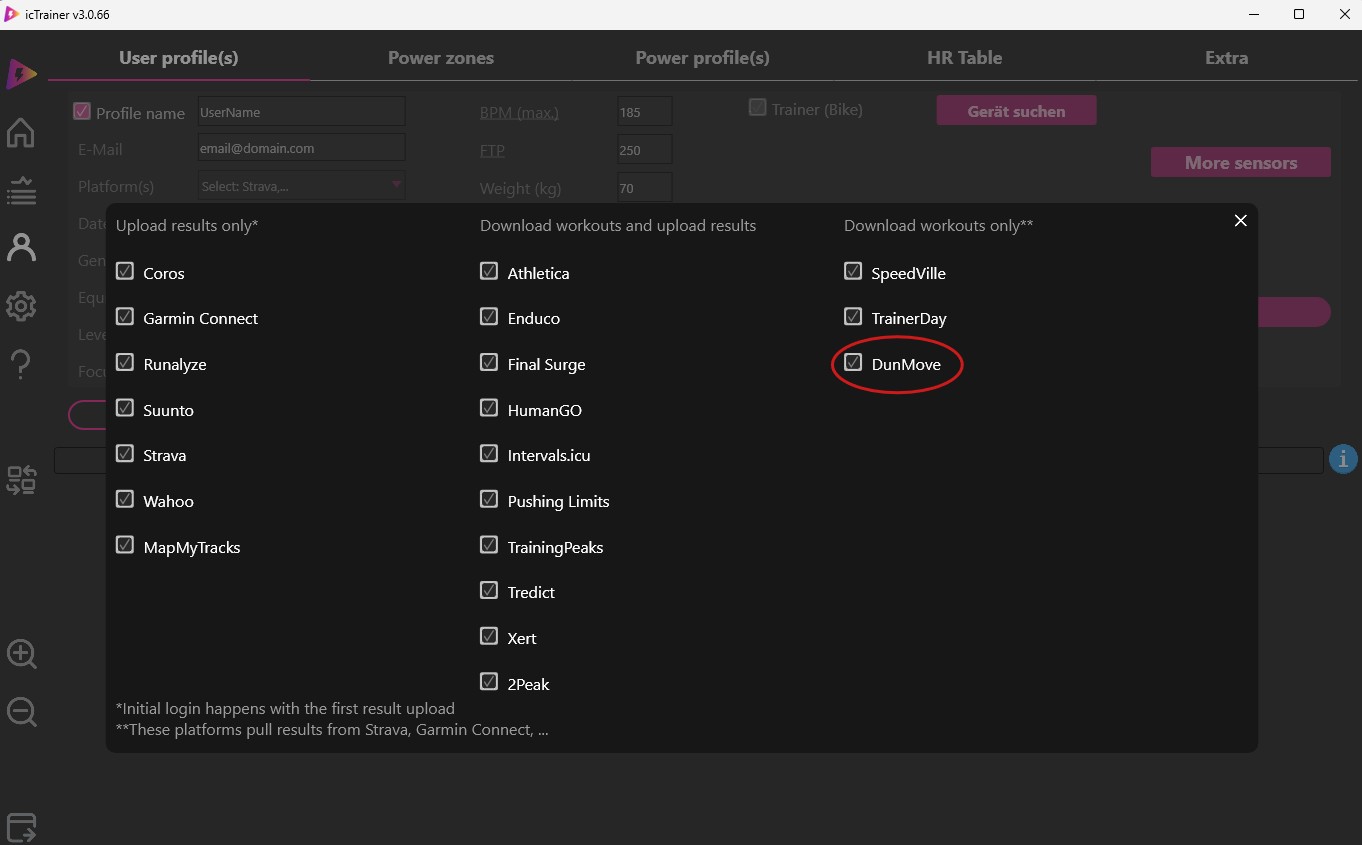
Short description for screenshot 2
-
After DunMove is selected, close the window.
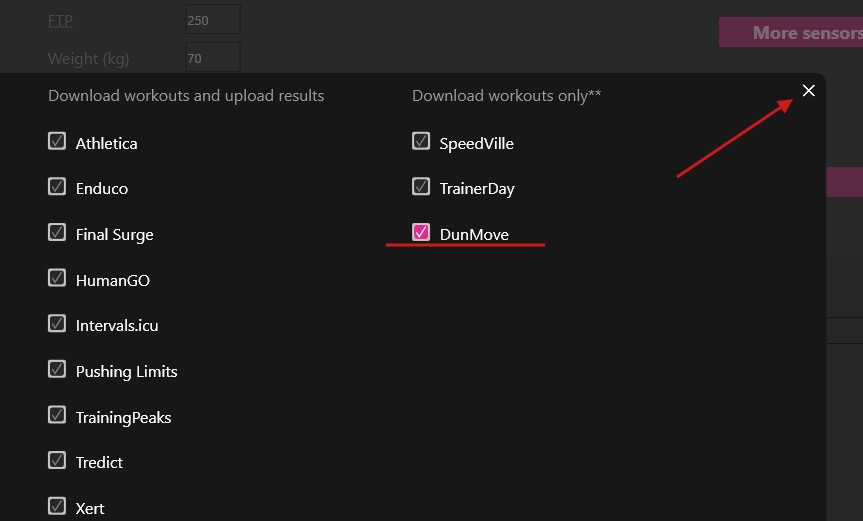
Short description for screenshot 3
-
Step text for screenshot 4
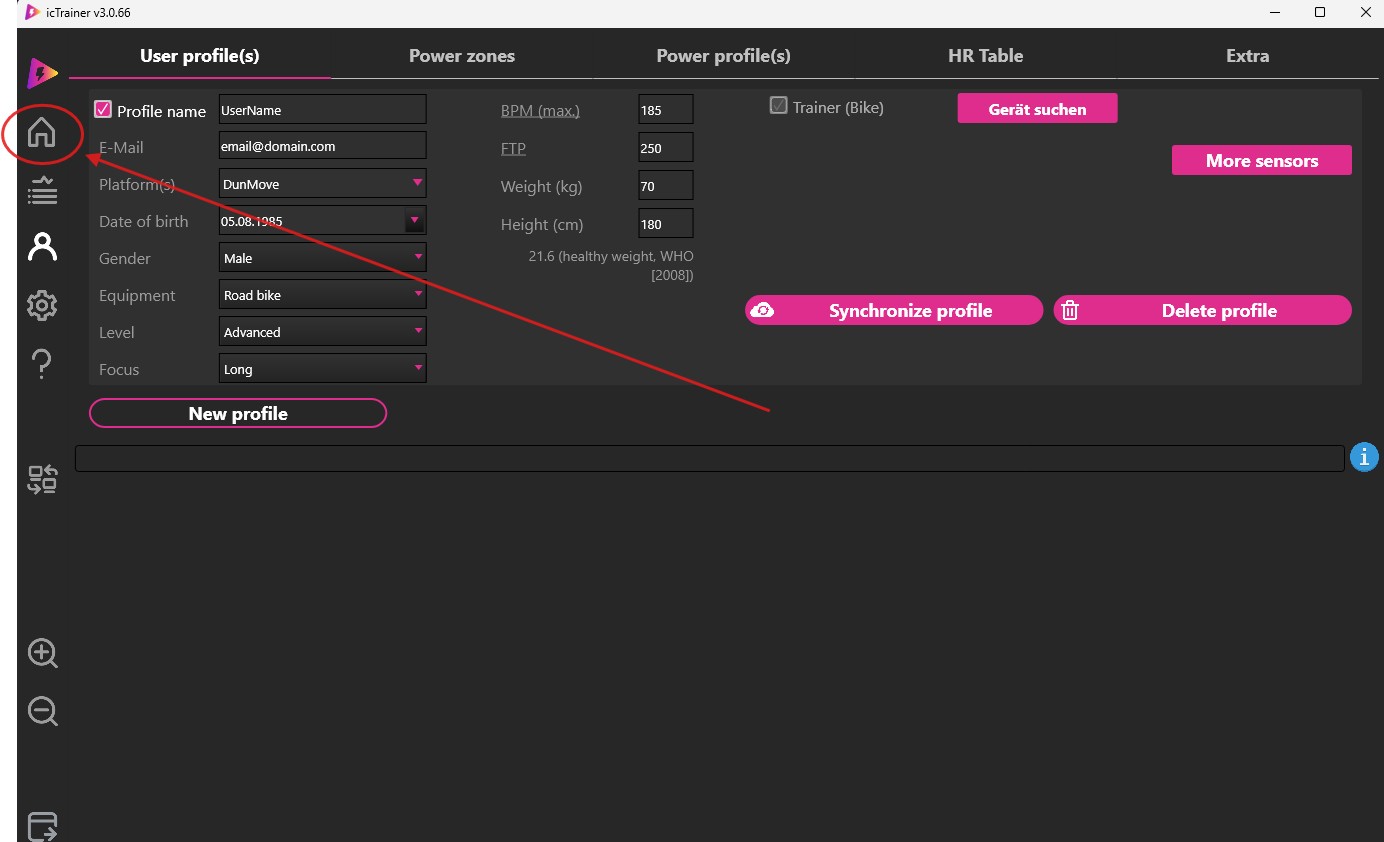
Short description for screenshot 4
-
Step text for screenshot 5
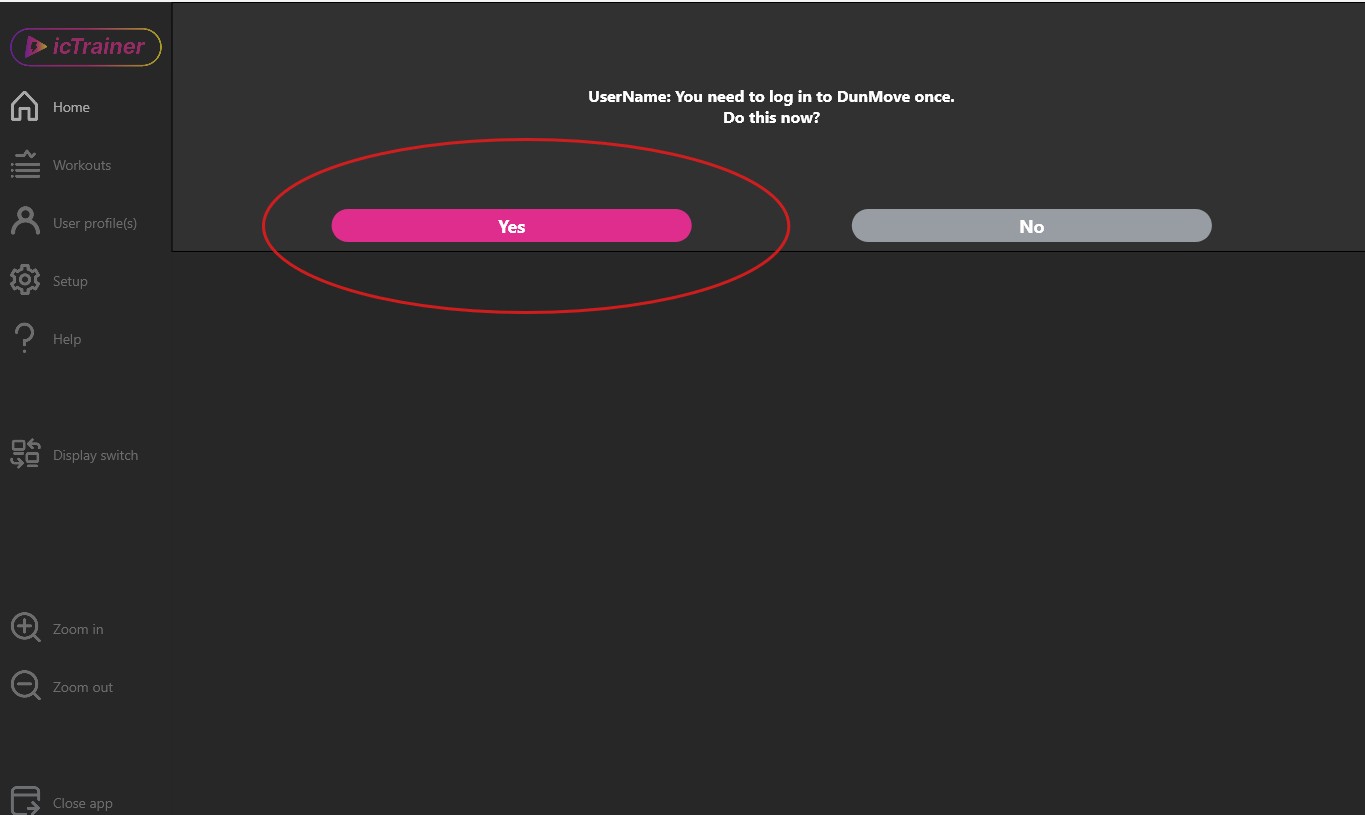
Short description for screenshot 5
-
Step text for screenshot 6
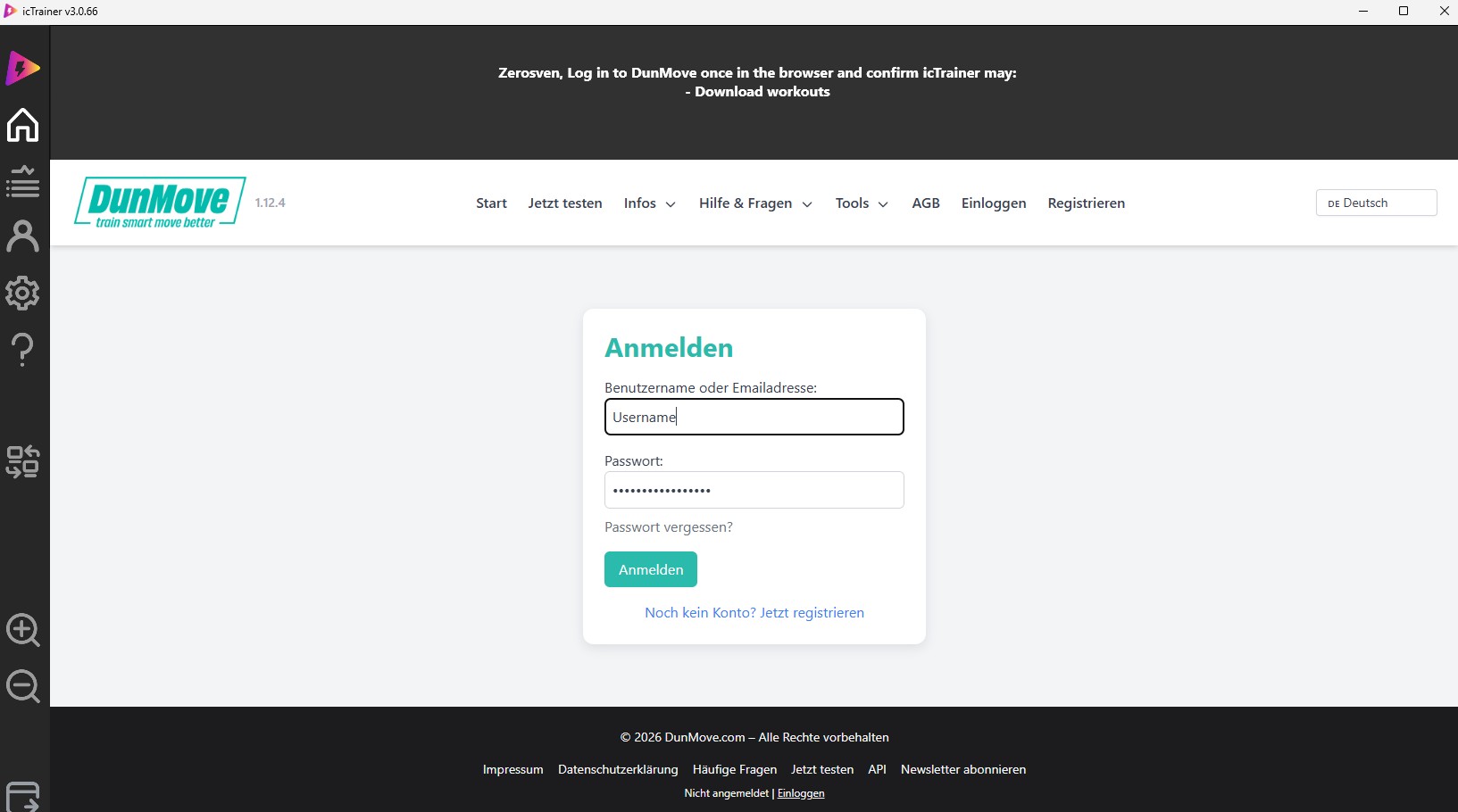
Short description for screenshot 6
-
Step text for screenshot 7
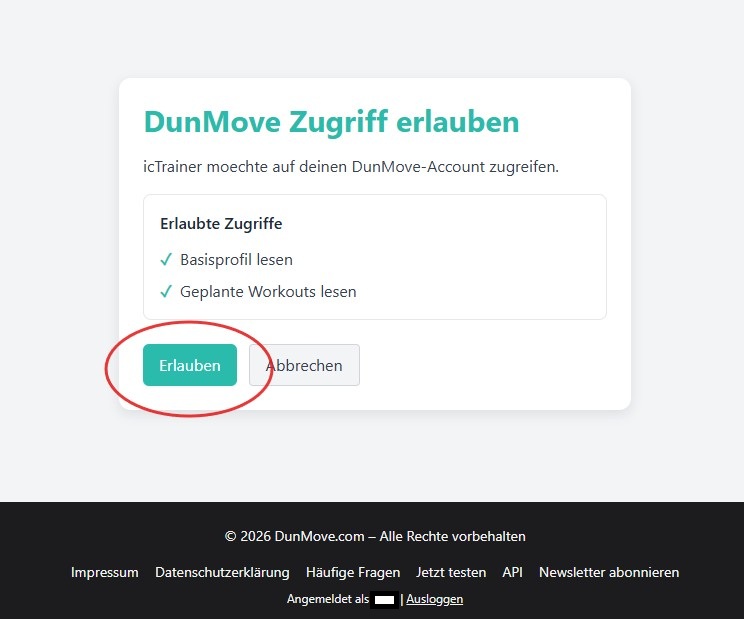
Short description for screenshot 7
Once the connection is established, new or updated workouts should be available in icTrainer without manual file export.
Option B: Manual import of workout files
If you want to use your workouts manually with icTrainer, you can download the exported workout files from your calendar and import them into icTrainer.
- Download a single workout from your training calendar or export multiple workouts at once.
- Open the area in icTrainer for importing your own workouts.
- Select the exported workout file and import it.
- After the import, check if the workout appears in your library or planning.
We will specifically enhance the final file formats, screenshots, and detailed instructions here for icTrainer.